Best AI Image Generators in 2026: The Complete Comparison Guide
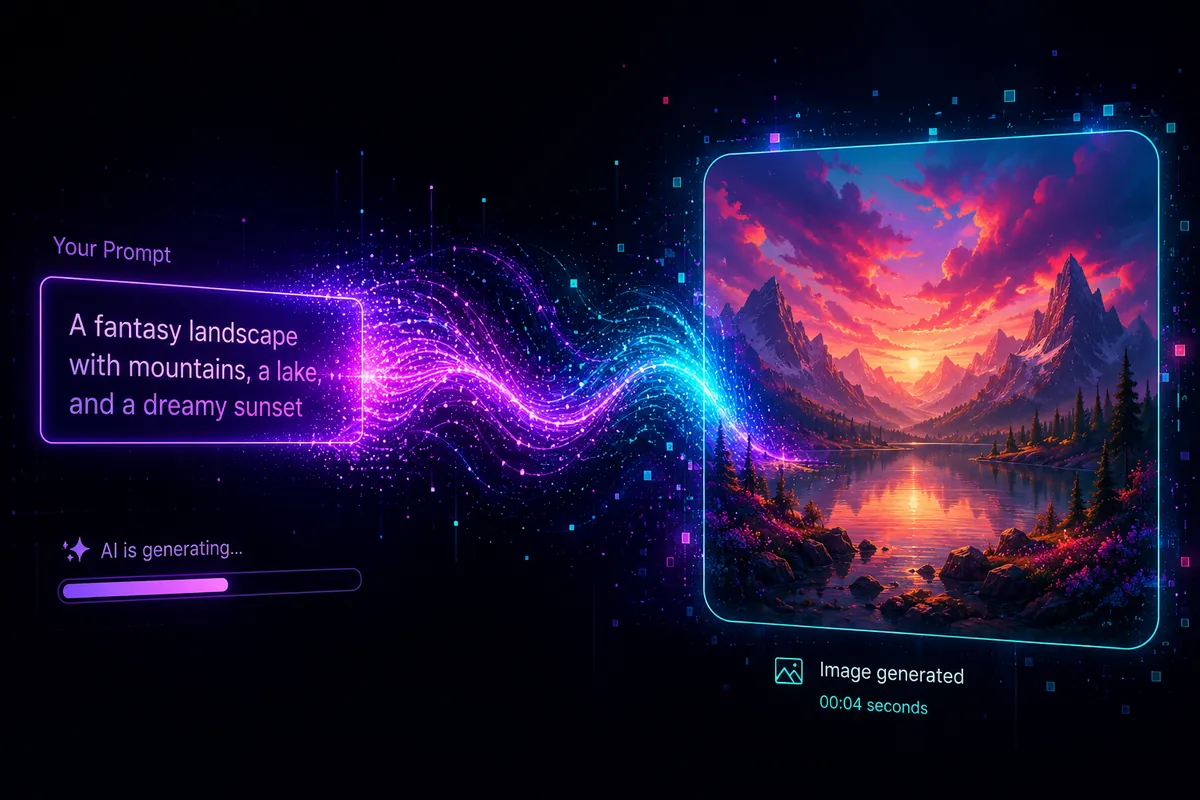
A few years ago, if you needed a custom illustration for a blog post, you either paid a designer, dug through stock photo sites hoping something halfway relevant existed, or gave up and used a plain header image for the hundredth time. That entire workflow has quietly collapsed. Today you type a sentence, wait a few seconds, and get an image built specifically for what you described.
That shift is why AI image generators have gone from a novelty Discord bot to a genuine part of how marketers, bloggers, designers, and small businesses produce visual content. They're not perfect — anyone who's asked for "a hand holding a coffee cup" and gotten six fingers knows that — but the gap between "AI-generated" and "professionally made" has narrowed dramatically in the last two years.
This guide breaks down how AI image generators actually work, compares 15 of the most widely used tools available in 2026, and walks through practical prompt-writing techniques so your results stop looking like everyone else's AI art.
Table of Contents
- What Are AI Image Generators?
- How AI Image Generators Work
- A Short History
- Benefits
- Who Should Use Them?
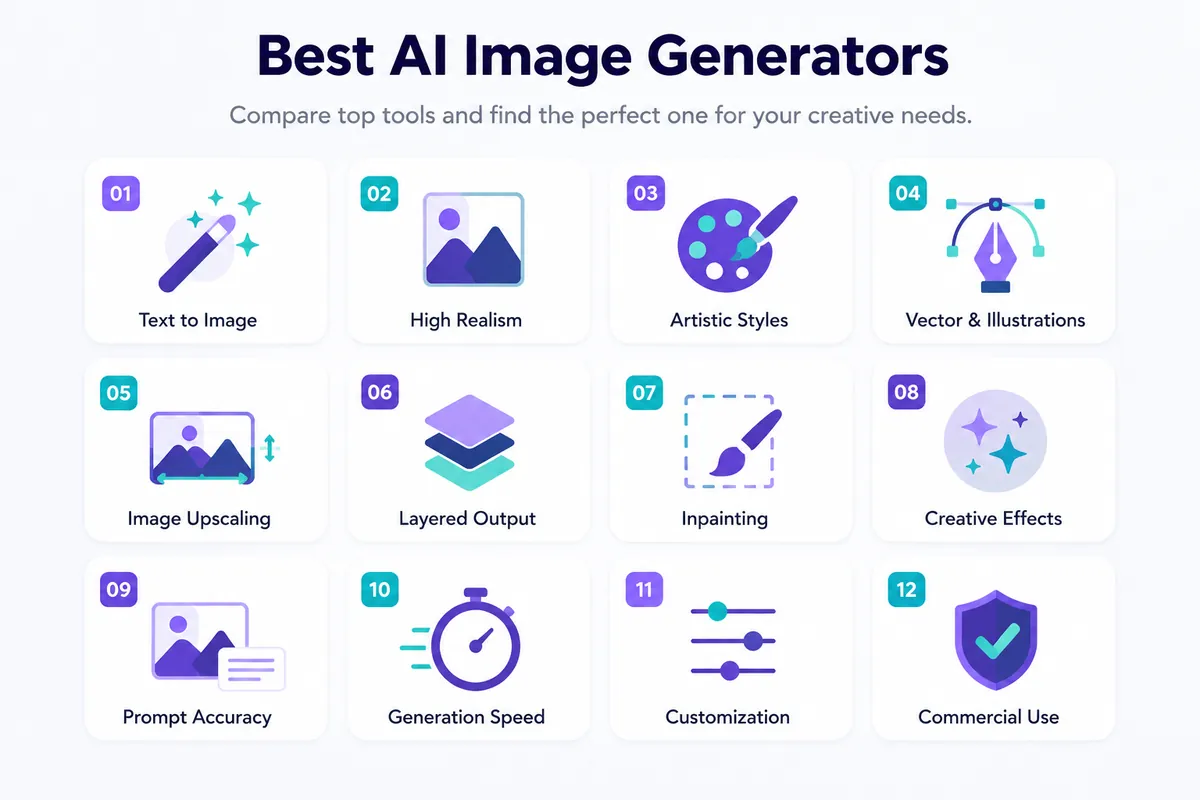
- Top Features to Look For
- 15 Tools Compared
- Comparison Table
- Free vs Paid
- Practical Use Cases
- Prompt Writing Guide
- Beginner Guide
- Best Practices
- Common Mistakes
- Limitations & Ethics
- FAQs
- Final Verdict
What Are AI Image Generators?
Direct answer: AI image generators are tools that create original images from a text description (a "prompt") using machine learning models trained on massive datasets of images and their captions. Instead of searching for an existing photo, you describe what you want, and the model builds a new image that matches it.
They go by a few names — AI art generators, text-to-image AI, AI photo generators — but the underlying idea is the same: language in, image out. Some tools also support image-to-image generation, where you upload a reference photo or sketch and the AI transforms it based on your instructions.
How AI Image Generators Work
Most AI image generators today are built on one of two underlying approaches, and understanding the difference helps explain why some tools behave so differently from others.
Diffusion Models Explained
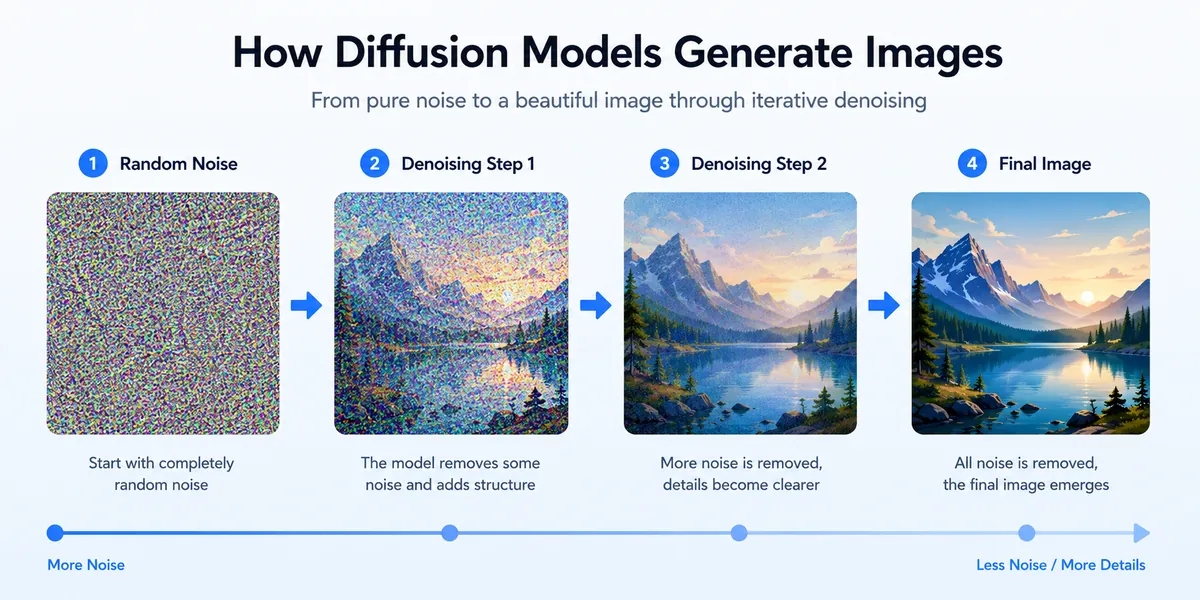
Diffusion models are the backbone of most modern AI image generators, including Stable Diffusion and Flux. They work by starting with random visual noise and gradually "denoising" it, step by step, into a coherent image — guided at every step by your text prompt.
GAN Models Explained
Generative Adversarial Networks (GANs) were the dominant approach in the earlier wave of AI image tools. A GAN pits two neural networks against each other — a generator that creates images and a discriminator that tries to tell real images from generated ones. GANs are still used in specific applications like face generation and upscaling, but diffusion and transformer-based models have largely taken over general-purpose image generation.
Text-to-Image vs Image-to-Image AI
Text-to-image generation starts from nothing but your written prompt. Image-to-image generation starts from an existing image and modifies it according to new instructions while preserving elements of the original composition.
A Short History of AI Image Generation
AI-generated imagery isn't as new as the recent hype suggests. Early experiments like Google's DeepDream (2015) produced surreal distortions of existing photos rather than truly new images. The real inflection point came with the emergence of practical text-to-image diffusion models around 2021–2022, when tools like DALL-E 2, Midjourney, and Stable Diffusion made the technology accessible to non-technical users for the first time. By 2026, text rendering, character consistency, and conversational editing have become standard expectations rather than premium features.
Benefits of Using AI Image Generators
- Speed. A concept that used to take a designer hours can now be generated in seconds.
- Cost savings. Many tools offer generous free tiers, far cheaper than commissioning custom artwork.
- Unlimited creative range. You can specify exact styles, moods, and compositions.
- Faster iteration. Testing five visual directions now just means five prompts.
- Accessibility. No design software skills needed — just a clear description.
Who Should Use AI Image Generators?
Students use them for presentation visuals and study aids. Businesses and entrepreneurs use them for marketing assets and product mockups. Freelancers use them to speed up client deliverables. Bloggers use them for featured images that don't look like the same five stock photos everyone else uses. Designers use them as a starting point for concept exploration. Developers use them to prototype UI assets. Content creators and YouTubers use them for thumbnails and channel art. Social media managers use them to keep consistent visual output without a constant photography budget.
Top Features to Look For
| Feature | Why It Matters |
|---|---|
| Image quality & resolution | Determines whether output is usable for print, ads, or casual social posts |
| Prompt accuracy | How closely the output matches what you actually described |
| Editing features | Inpainting and local edits without regenerating the whole image |
| Commercial license | Whether you're legally allowed to use output for business work |
| Negative prompts | Lets you specify what to exclude (extra limbs, text, watermarks) |
| Style range | Photorealism, illustration, anime, 3D render, and more |
| Generation speed | Matters a lot for high-volume workflows |
| Pricing structure | Free tier limits, credit systems, or flat subscriptions |
Best AI Image Generators in 2026
Here's how 15 of the most commonly used AI image generators actually compare, based on real usage patterns and current capabilities.
1. Midjourney
Overview: Midjourney remains the reference point for stylized, artistic image generation. Version 7 introduced sharper prompt comprehension and more consistent character rendering.
Pros: Unmatched aesthetic quality for concept art and illustration.
Cons: Less suited to photorealistic product shots; subscription-only.
Best For: Concept artists, game studios, editorial projects.
2. ChatGPT / GPT Image
Overview: OpenAI's image generation, accessible through ChatGPT, is especially strong at following detailed instructions and rendering readable text inside images.
Pros: Excellent instruction-following; easy for beginners.
Cons: Less granular control than dedicated tools.
Best For: Marketers, presentation designers.
3. Adobe Firefly
Overview: Adobe's generative AI system, built with commercial safety in mind and tightly integrated into Photoshop, Illustrator, and Express.
Pros: Clear commercial licensing with minimal legal ambiguity.
Cons: Output can feel more conservative than some competitors.
Best For: Enterprise marketing teams, agencies.
4. Canva AI (Magic Media)
Overview: Canva's built-in AI image generation, designed to slot directly into its drag-and-drop design workflow.
Pros: Extremely beginner-friendly; no need to leave the design tool.
Cons: Less fine-grained prompt control.
Best For: Social media managers, small businesses.
5. Google Imagen / Gemini Image
Overview: Google's flagship image generation, known for strong photorealism and multimodal understanding.
Pros: Consistently ranks near the top for realism; generous free access.
Cons: API pricing scales with volume.
Best For: Realistic product shots, editorial-quality imagery.
6. Microsoft Designer (Bing Image Creator)
Overview: Microsoft's free image generation tool, built into Windows, Edge, and the standalone Designer app.
Pros: One of the strongest genuinely free options available.
Cons: Speed drops after daily fast credits are used.
Best For: Bloggers, students, casual users.
7. Leonardo AI
Overview: A production-focused platform popular in game development, with strong asset libraries and fine-tuned model options.
Pros: Deep customization for consistent visual style across many assets.
Cons: Steeper learning curve.
Best For: Game developers, concept artists.
8. Ideogram
Overview: The clear leader for typography — logos, posters, and any image where legible, accurate text matters.
Pros: Best-in-class text rendering.
Cons: Less specialized for pure photorealism.
Best For: Designers making logos, posters, packaging mockups.
9. Dreamina
Overview: ByteDance's AI image and video generation platform, popular for social-first visual content.
Pros: Good fit for high volumes of platform-native content.
Cons: Smaller community and documentation base.
Best For: Social content creators.
10. Stable Diffusion
Overview: The most influential open-weight image model family, giving users full control with the option to run locally at zero ongoing cost.
Pros: Total creative freedom, no per-image cost if run locally.
Cons: Requires technical setup and capable hardware.
Best For: Developers, technical users.
11. Flux AI
Overview: From the team behind Stable Diffusion, Flux balances speed, quality, and cost with strong photorealism.
Pros: Excellent quality-per-dollar ratio.
Cons: Best features require API access or third-party hosting.
Best For: Developers, photographers, studios needing scale.
12. NightCafe
Overview: A community-driven AI art platform that also runs regular creative challenges.
Pros: Approachable for beginners, active community.
Cons: Credit system can feel limiting for high-volume users.
Best For: Hobbyists and beginners.
13. Playground AI
Overview: A flexible, canvas-based AI image tool aimed at creators who want more manual control.
Pros: Good middle ground between simple prompts and full editing suites.
Cons: Free tier limits can feel restrictive.
Best For: Creators wanting hands-on compositional control.
14. DeepAI
Overview: A straightforward, no-frills AI image generator that's been around since the earlier wave of accessible AI art tools.
Pros: Low barrier to entry, fast generation.
Cons: Image quality generally trails newer, specialized models.
Best For: Casual users, developers needing a simple API.
15. Recraft AI
Overview: A design-focused generator built with vector graphics and brand-consistent asset creation in mind.
Pros: One of the few tools genuinely built for design workflows.
Cons: Smaller model variety compared to broader-purpose platforms.
Best For: Designers needing scalable vector assets, icons.
Comparison Table
| Tool | Free Plan | Commercial License | Best For | Rating |
|---|---|---|---|---|
| Midjourney | No | Yes (paid) | Concept art, illustration | 9/10 |
| ChatGPT / GPT Image | Limited | Yes | Text-in-image, marketing | 9/10 |
| Adobe Firefly | Yes | Yes (clearest terms) | Enterprise, commercial safety | 8.5/10 |
| Canva AI | Yes | Yes | Social media, non-designers | 8/10 |
| Google Imagen/Gemini | Yes | Yes | Photorealistic content | 9/10 |
| Microsoft Designer | Yes | Yes | Free daily use | 8/10 |
| Leonardo AI | Yes | Yes (paid tiers) | Game art, consistency | 8.5/10 |
| Ideogram | Yes | Yes | Logos, typography | 8.5/10 |
| Dreamina | Yes | Yes | Social content | 7.5/10 |
| Stable Diffusion | Yes (open-weight) | Yes | Full control, developers | 8.5/10 |
| Flux AI | Yes (open-weight) | Yes | Photorealism at scale | 9/10 |
| NightCafe | Yes | Yes | Hobbyists, beginners | 7/10 |
| Playground AI | Yes | Yes | Manual composition control | 7.5/10 |
| DeepAI | Yes | Yes | Casual, quick use | 6.5/10 |
| Recraft AI | Yes | Yes | Design, brand assets | 8/10 |
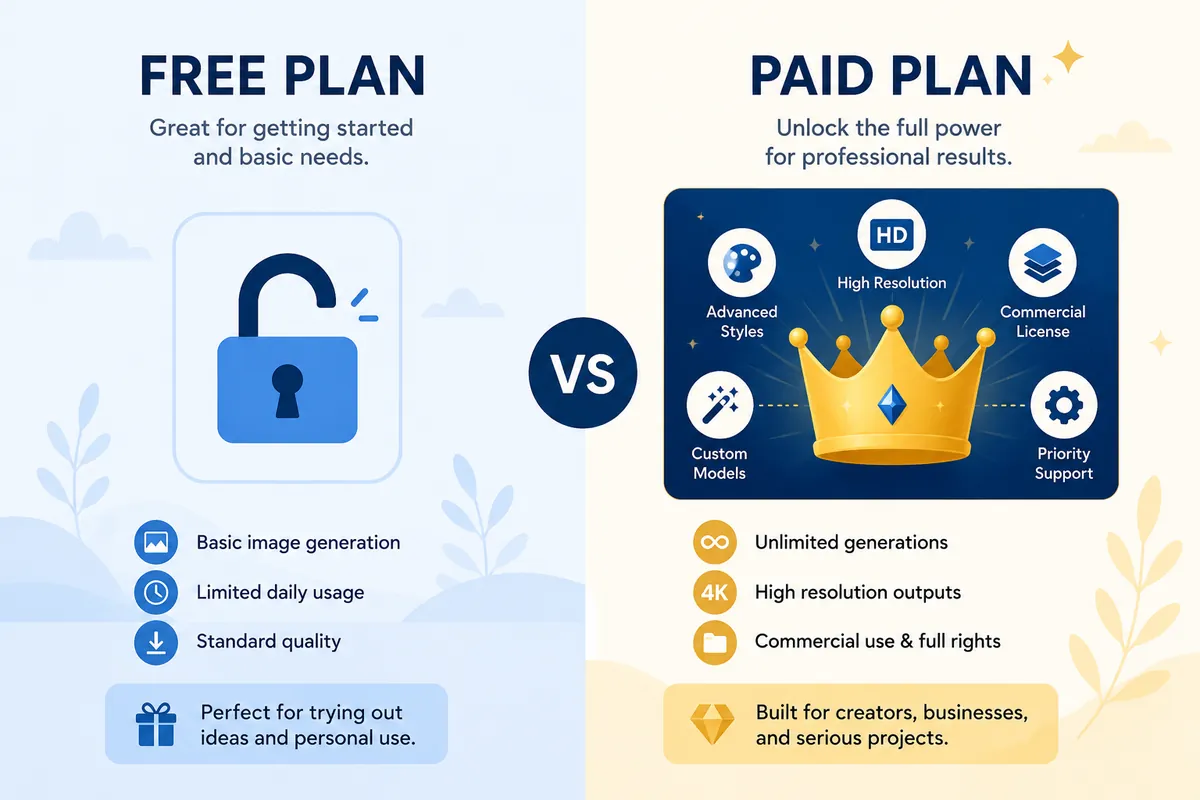
Free vs Paid AI Image Generators
| Pros | Cons | |
|---|---|---|
| Free | No cost barrier, good for testing | Daily limits, slower generation |
| Paid | Higher resolution, faster, clearer licensing | Recurring cost, can be overkill for casual use |
Practical Use Cases
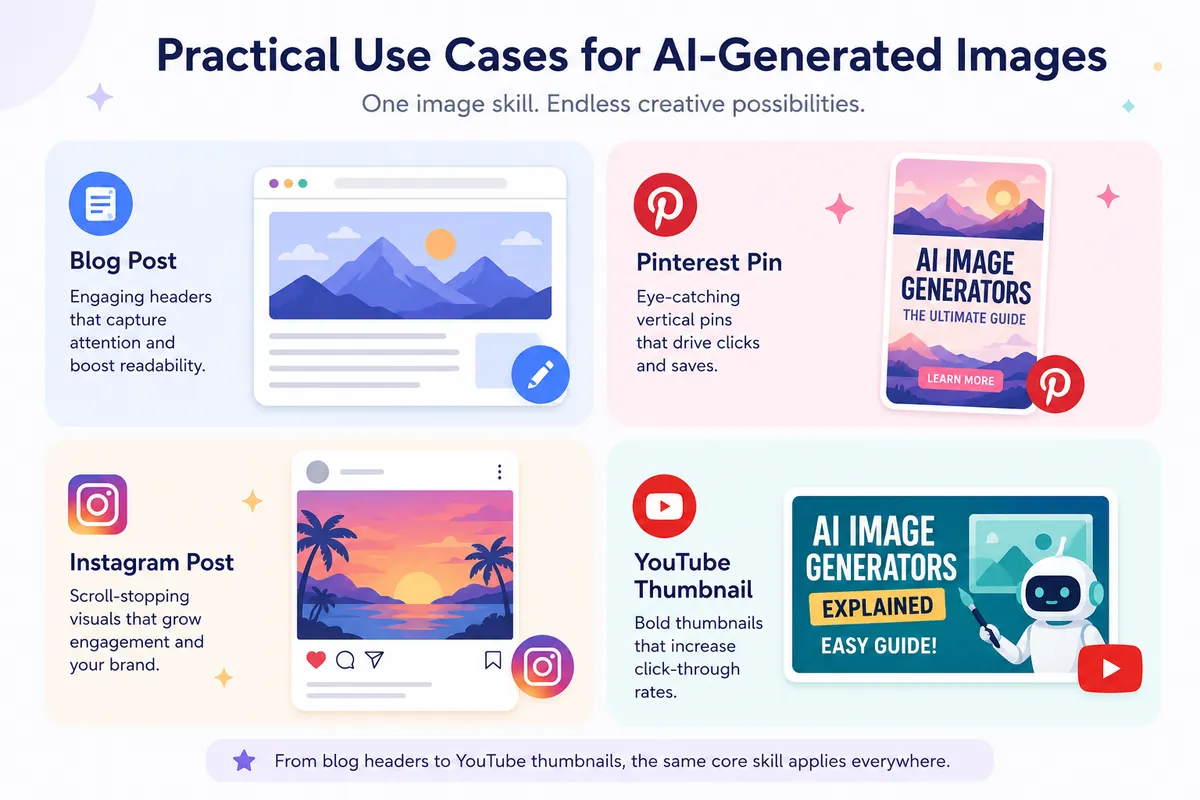
AI image generators show up across a wide range of everyday tasks: blog images, Pinterest pins, Instagram posts, Facebook ads, YouTube thumbnails, website banners, logos, product mockups, book covers, gaming assets, and print-on-demand designs.
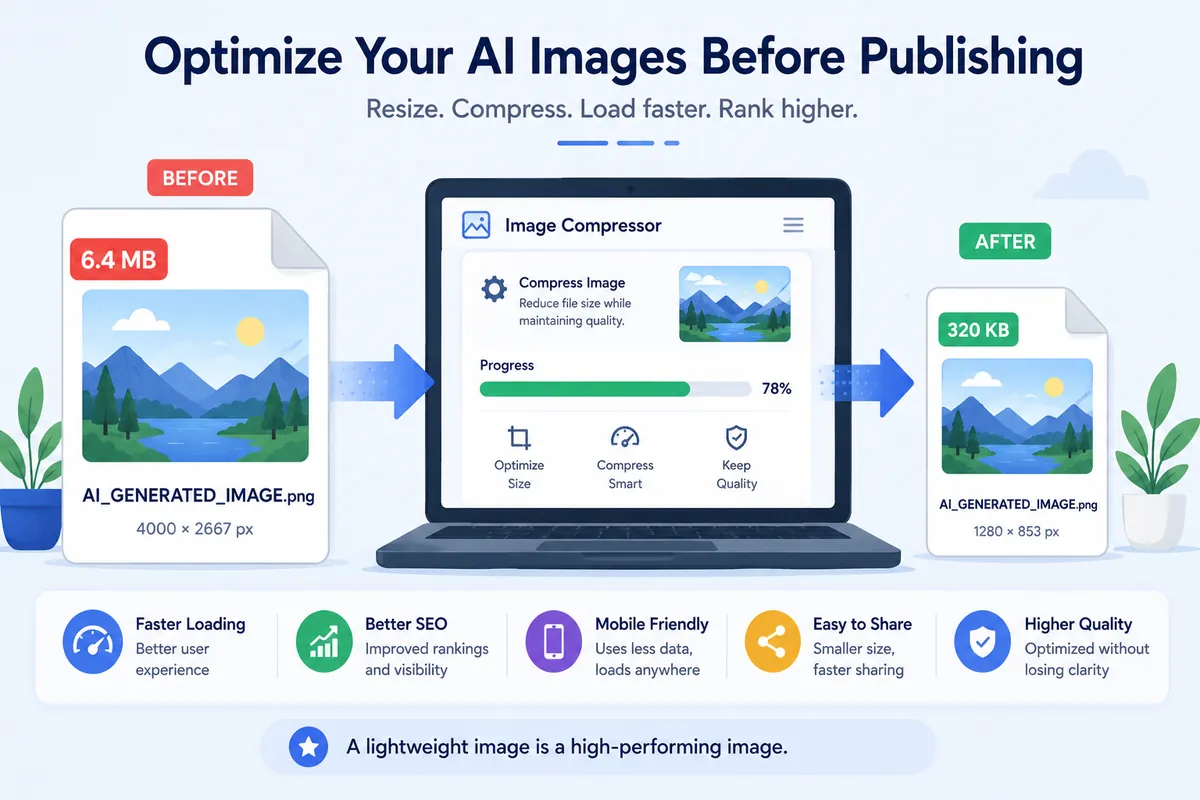
Once you've generated an image, it's worth running it through a proper optimization step before publishing. ToolsHub's Image Compressor shrinks file size without visible quality loss, and the Image Resizer adjusts dimensions for the exact platform you're publishing to.
How to Write Better AI Image Prompts
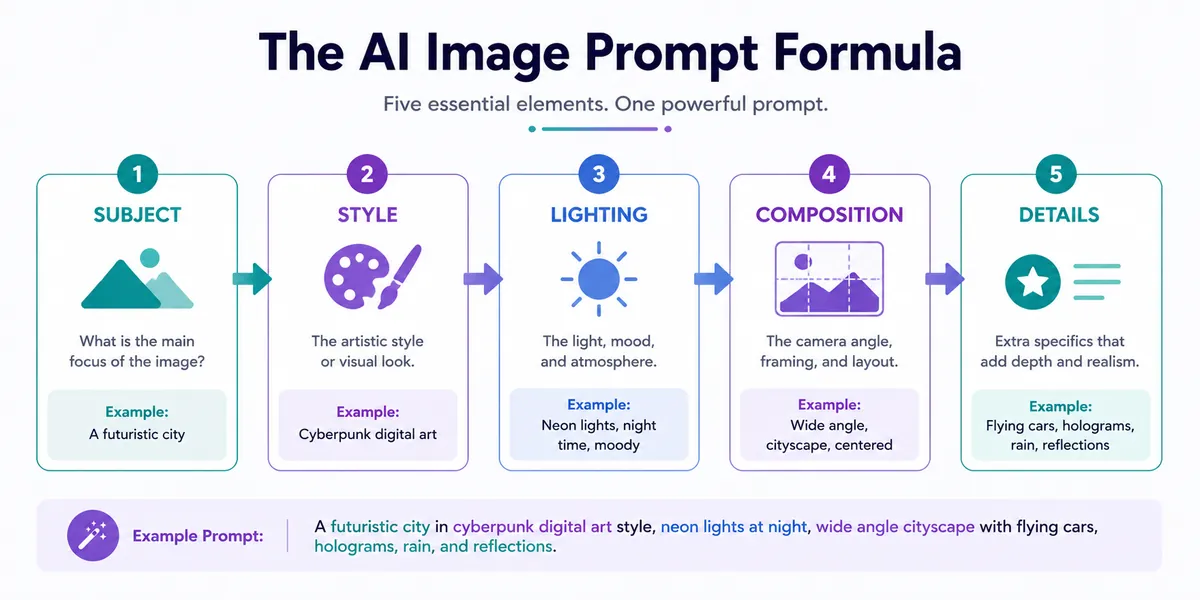
A strong prompt generally follows a simple formula: subject + style + lighting + composition + details. Vague prompts produce generic results; specific prompts produce results that actually match what you had in mind.
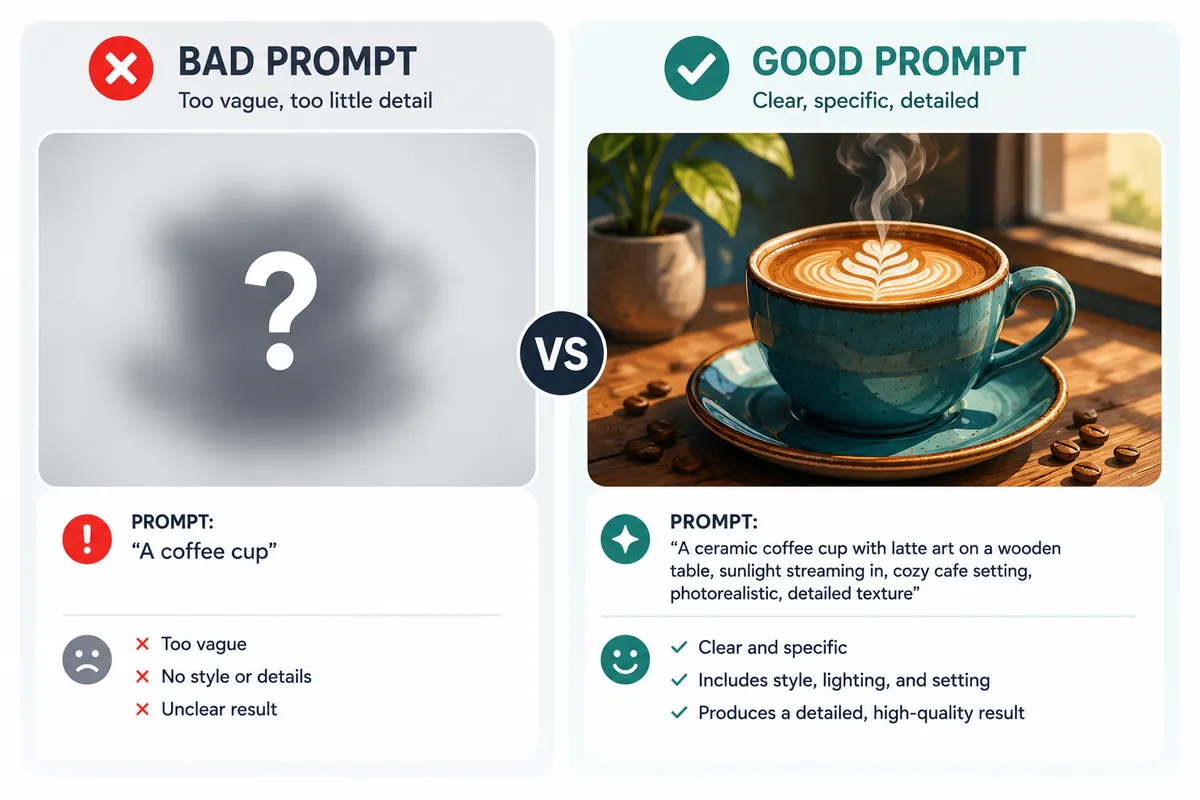
Good prompt example: "A cup of coffee on a rustic wooden table, photorealistic style, warm golden-hour lighting, close-up shot with shallow depth of field, steam rising gently. Avoid text, watermarks, extra objects."
Bad prompt example: "Nice coffee picture."
🖼️ Skip the formula — let a tool build it for you
ToolsHub's AI Image Prompt Generator builds a properly formatted prompt for Midjourney, DALL-E, or Stable Diffusion from simple dropdowns — no prompt-engineering experience required, and it's free.
Beginner Guide: Creating Your First AI Image
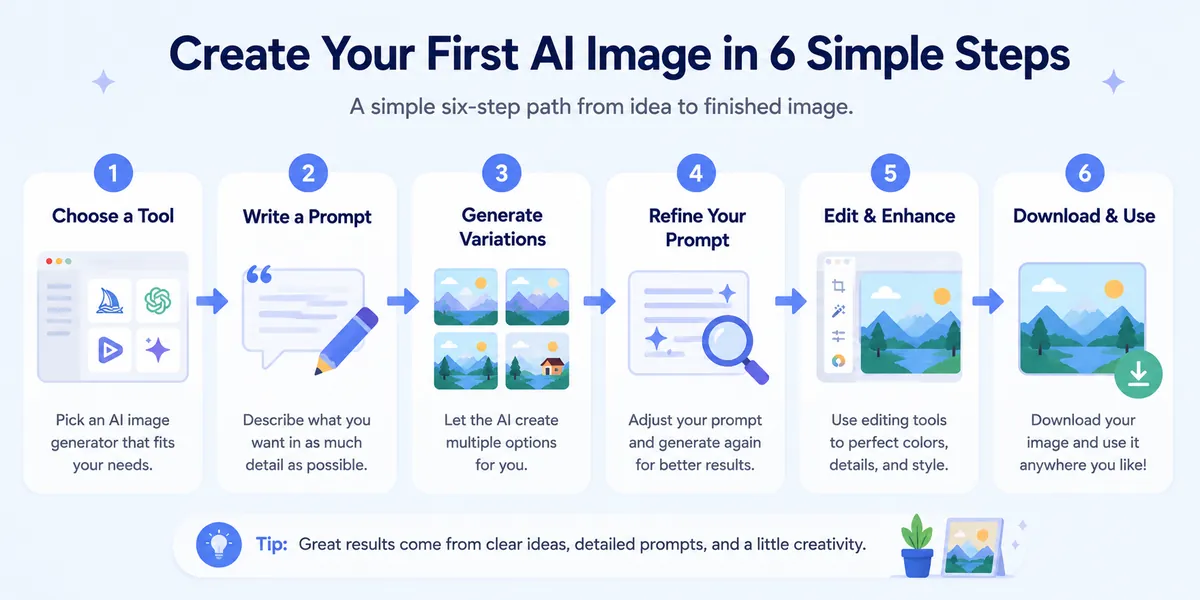
- Pick a tool that matches your budget — start with a free option.
- Write a specific prompt using the subject + style + lighting + composition formula.
- Generate multiple variations and compare them.
- Refine your prompt rather than starting over.
- Use image-to-image editing for targeted changes.
- Download and optimize the final image before publishing.
Best Practices Checklist
Do: Be specific about subject, style, and lighting · Generate multiple variations · Use negative prompts · Check commercial license before business use · Compress and resize before publishing.
Don't: Use vague, one-word prompts · Assume every free tier includes commercial rights · Publish AI images of real people without consent · Skip reviewing output for artifacts.
Common Mistakes to Avoid
The most common beginner mistake is giving up after one attempt — a good AI image usually takes two or three rounds of prompt refinement. The second is vague language: words like "nice" carry almost no usable information for the model. The third is skipping the free tier entirely on the assumption that AI tools are expensive, when several of the strongest options cost nothing to start.
Limitations, Copyright, and Ethics
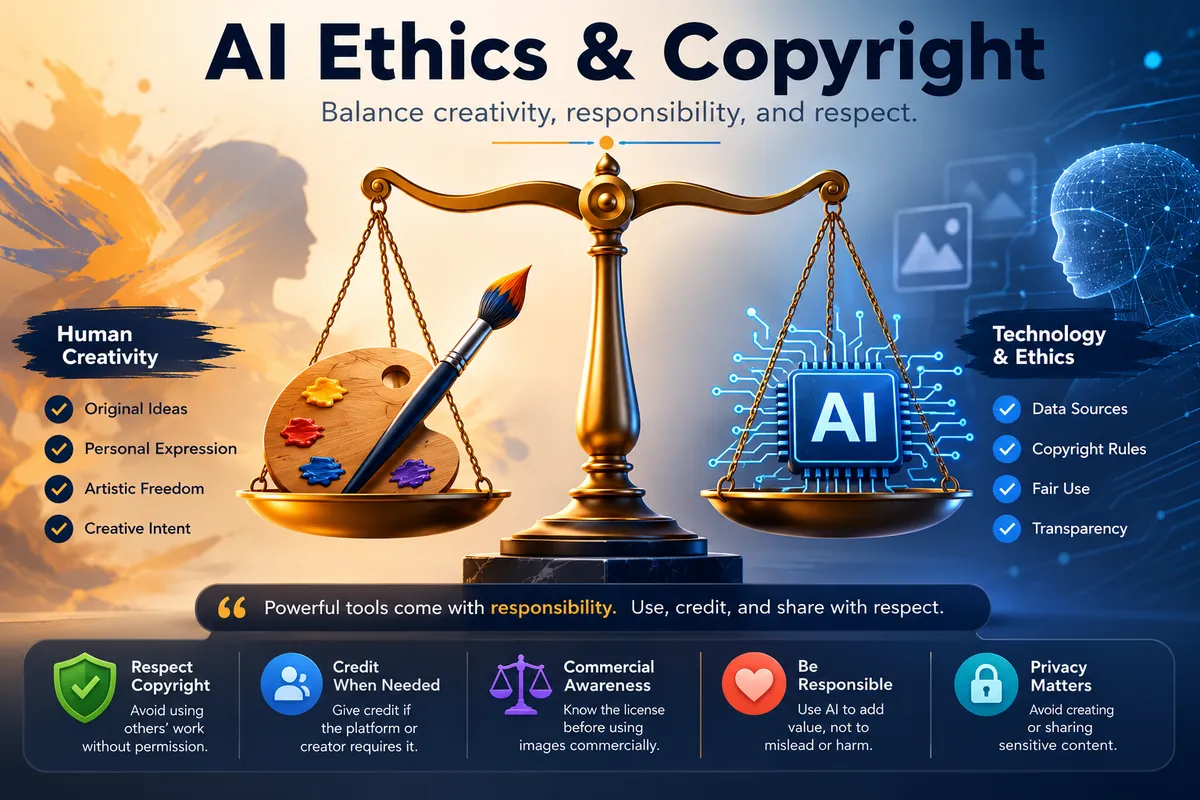
Copyright: Legal clarity around AI-generated image ownership varies by jurisdiction and platform. Always check a platform's specific terms before commercial use.
Bias: Training data reflects the biases present in source images, which can surface in generated output.
Hallucinations: AI models can misinterpret prompts or produce anatomically incorrect details, especially in complex scenes.
Privacy: Some platforms use uploaded images and prompts to train future models unless you opt out.
🖼️ Build a Better Prompt in Seconds
Use ToolsHub's free AI Image Prompt Generator to structure a detailed, platform-ready prompt for Midjourney, DALL-E, or Stable Diffusion.
Try the Prompt Generator →Frequently Asked Questions
What is an AI image generator?
An AI image generator is a tool that creates original images from a text description using machine learning models trained on large datasets of images and captions.
Are AI image generators free to use?
Many are. Tools like Microsoft Designer, Canva AI, and Google's Gemini offer solid free tiers, while others like Midjourney are subscription-only.
Which AI image generator is best for beginners?
Canva AI and Microsoft Designer are among the most beginner-friendly, since they require no prompt-engineering knowledge.
Can I use AI-generated images commercially?
It depends on the platform and plan. Adobe Firefly offers some of the clearest commercial licensing terms. Always check the specific terms of service.
What's the difference between Midjourney and GPT Image?
Midjourney is known for distinctive, stylized output, while GPT Image tends to follow detailed instructions more literally and handles text rendering especially well.
What is a diffusion model?
A diffusion model generates images by starting with random noise and gradually refining it into a coherent image over multiple steps, guided by your text prompt.
What's the best AI image generator for logos?
Ideogram is widely considered the strongest option for text-heavy graphics like logos and posters.
Is Stable Diffusion free?
Stable Diffusion is open-weight and can be run locally at no ongoing cost, though it requires capable hardware.
What is a negative prompt?
A negative prompt tells the AI what to exclude from the image — for example, "no text, no watermark, no extra limbs."
Can I edit an AI-generated image after creating it?
Yes. Most modern tools support inpainting or image-to-image generation, letting you refine a result without starting over.
How do I optimize AI-generated images before publishing?
Resize the image for your platform and compress it to reduce file size without visible quality loss. ToolsHub's Image Compressor and Image Resizer handle both for free.
Final Verdict
There isn't one single "best" AI image generator in 2026 — there's a best one for what you're specifically trying to do. If you want stylized, artistic output, Midjourney remains hard to beat. If commercial licensing clarity matters most, Adobe Firefly is the safer bet. If you want something genuinely free, Microsoft Designer and Canva AI cover most everyday needs. If text inside your image needs to be readable, Ideogram is the clear specialist. And if you want full control with zero recurring cost, Stable Diffusion and Flux remain the go-to open-weight options.
Whichever tool you pick, the real skill isn't the platform — it's the prompt. Once you've got your image, head over to ToolsHub to compress, resize, and convert it for whatever platform you're publishing to — and if you want help building a stronger prompt, the free AI Image Prompt Generator does the structuring for you.