Toolshub.pro: The Complete Guide to Free Online Tools That Actually Work

I'll be honest with you — I've bookmarked, tried, and abandoned more "free online tools" websites than I can count. Most of them bury the actual tool under three pop-ups, a fake countdown timer, and an email wall. So when I first landed on Toolshub.pro, I expected the same routine. I didn't get it. I got a search bar, a tool, and an answer — in about four seconds.
That's really the whole pitch behind Toolshub.pro: it's a browser-based hub of calculators, converters, image tools, SEO utilities, developer helpers, and AI-powered generators, and none of it asks you to create an account first. No downloads. No credit card. No "sign up to continue."
If you're a student trying to figure out a percentage for a late-night assignment, a freelancer compressing images before a client deadline, or a developer who just needs to format a chunk of JSON without opening a code editor, this kind of tool matters more than it sounds. Small daily tasks add up, and the fastest option usually wins.
This guide walks through what Toolshub.pro actually offers, how it compares to other tool sites, who benefits most from it, and how to get the most out of it — with real examples, not just a features list copied from a homepage.
Table of Contents
- What Is Toolshub.pro?
- Why Choose Toolshub.pro?
- Key Features of Toolshub.pro
- Free Online Tools Available
- How Toolshub.pro Works
- Benefits of Browser-Based Tools
- Who Should Use Toolshub.pro?
- Toolshub.pro vs Other Tool Websites
- Advantages and Limitations
- Real Use Cases
- Step-by-Step Guide
- Tips to Get Maximum Value
- Frequently Asked Questions
- Final Verdict
What Is Toolshub.pro?
Direct answer: Toolshub.pro is a free, browser-based platform offering 40+ online tools across categories like calculators, unit converters, image editing, SEO utilities, text processing, developer helpers, and AI-powered generators — all usable without registration.
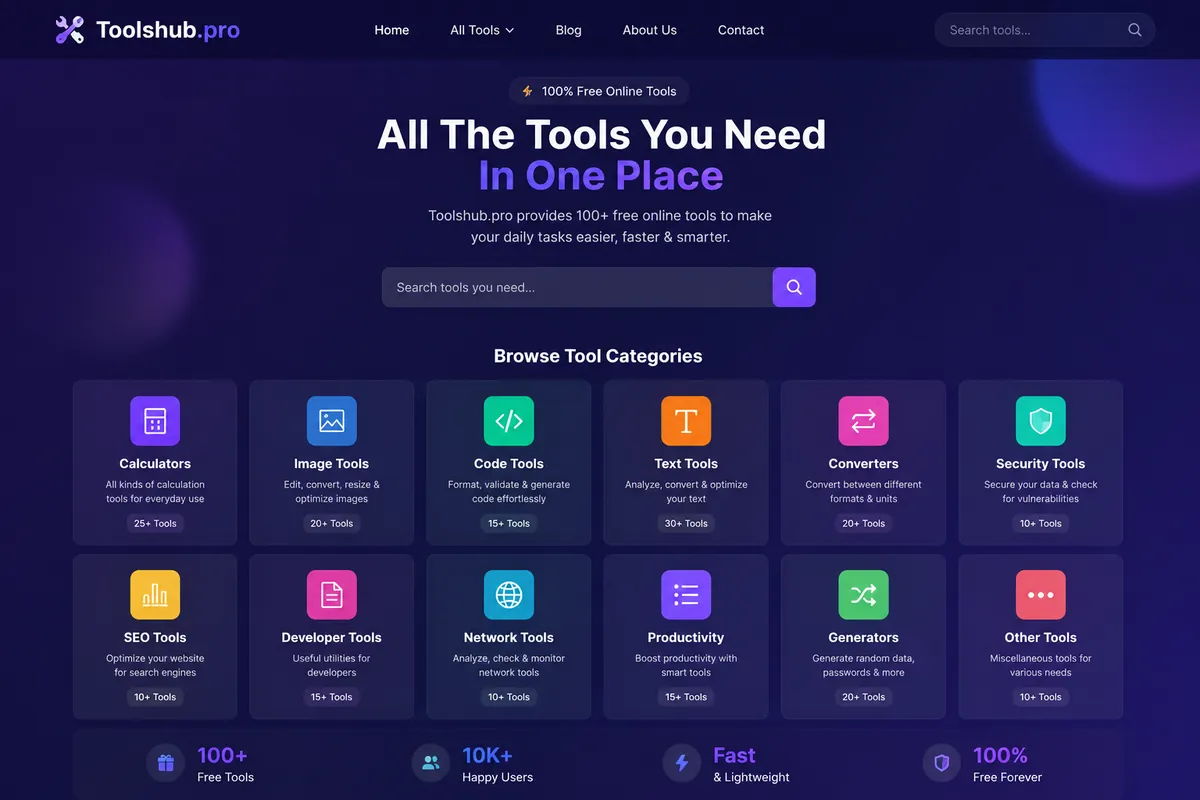
Think of it as a digital toolbox that lives in a browser tab instead of your hard drive. You don't install anything. You open the page, pick a tool — say, an Age Calculator or an Image Compressor — enter your input, and get your result instantly.
The site is organized into clear categories: Calculators, Converters, Image Tools, Text Tools, Developer Tools, SEO Tools, and AI Tools. Each tool has its own dedicated page with the utility itself at the top, followed by a short guide explaining how and when to use it.
This "one tool, one page, no clutter" approach is part of why it's gained traction with students and small business owners who just want a fast answer without digging through ad-heavy competitor sites.
Why Choose Toolshub.pro?
There are hundreds of tool websites online. So why does this one stand out? A few reasons keep coming up when you actually use it day to day.
It respects your time
Every tool is built to run client-side wherever possible, meaning your inputs are processed right in your browser rather than round-tripping to a server. That translates to faster results and, for many tools, better privacy — your data doesn't need to leave your device to get an answer.
No forced sign-up
This sounds small until you're the one trying to resize an image at 11 PM and a site demands your email first. Toolshub.pro skips that entirely. You use the tool, you get the output, you move on.
Everything under one roof
Instead of bookmarking five different websites — one for calculators, one for image compression, one for a QR code generator — you get all of it from a single hub. That matters more than people expect; switching between unfamiliar interfaces all day is its own kind of friction.
Built for real workflows, not just single tasks
Many tool pages link to related tools. If you just used the Image Compressor, you'll usually see a suggestion for the Image Resizer or JPG to PNG converter right next to it, because in practice, people rarely need just one image tool — they need a small sequence of them.
Key Features of Toolshub.pro
Here's a quick summary before we go deeper into each category.
| Feature | What It Means for You |
|---|---|
| 40+ tools across 6+ categories | One destination for most day-to-day digital tasks |
| No signup required | Faster access, less friction, better privacy |
| Mobile-friendly design | Tools work the same on a phone as on a desktop |
| Fast load times | Most tools load and respond in seconds |
| Clean, ad-light interface | Less distraction compared to older tool directories |
| Regularly updated tool library | New utilities added based on user demand |
| Guides on every tool page | You learn why a result looks the way it does, not just the number |
Free Online Tools Available on Toolshub.pro
This is the part most people actually come for, so let's break it down category by category.
Image Tools
Image tools are some of the most-used utilities on the site, and for good reason — nearly everyone needs to shrink, convert, or resize an image at some point, whether it's for a website, an email attachment limit, or a social media post.
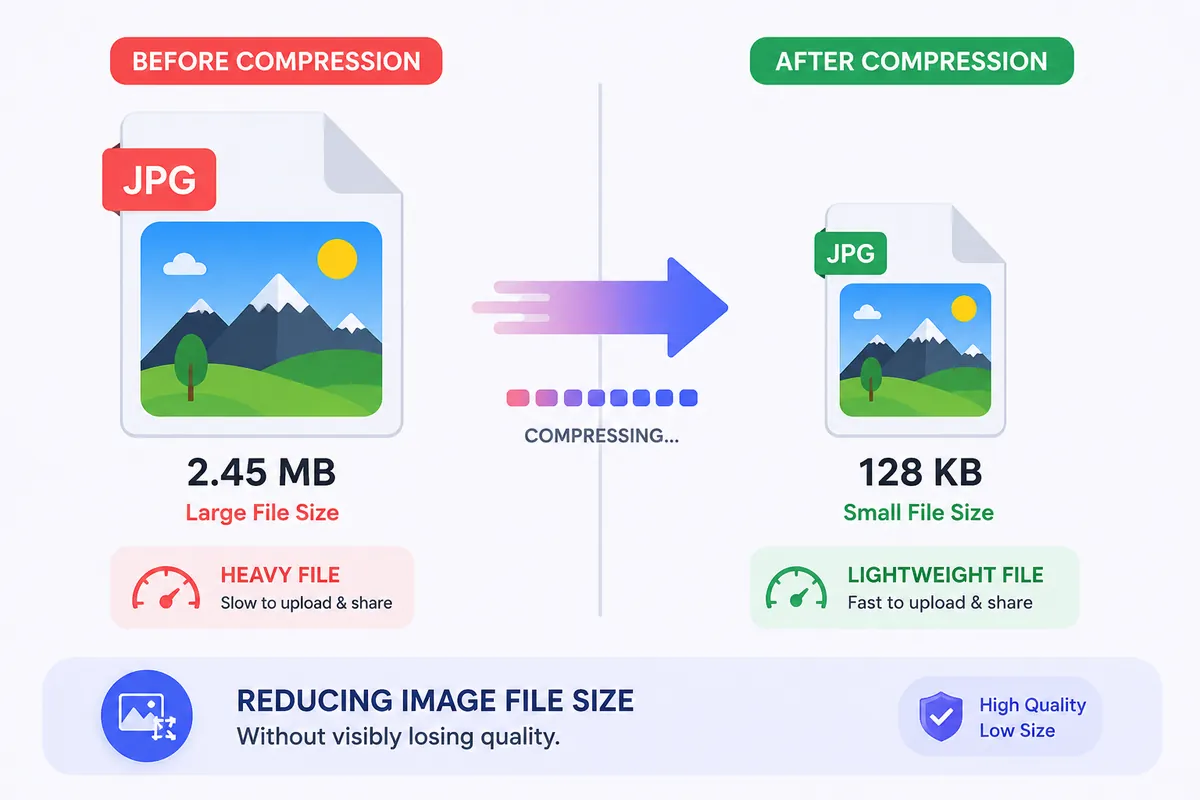
- Image Compressor — reduces file size while keeping visual quality close to the original, useful before uploading to a website or CMS.
- Image Resizer — changes dimensions (width and height) without distorting the image.
- JPG to PNG — switches between formats depending on what you need: PNG for transparency, JPG for smaller file sizes.
- Bulk Image Compressor — handles multiple images in one pass, which is a genuine time-saver for anyone managing a blog or product catalog.
If you've ever gotten a "your image is too large" error while uploading to a CMS, this category alone solves that problem in under a minute.
SEO Tools
For bloggers, marketers, and website owners, the SEO Tools section covers a lot of the repetitive technical work that used to require separate plugins.
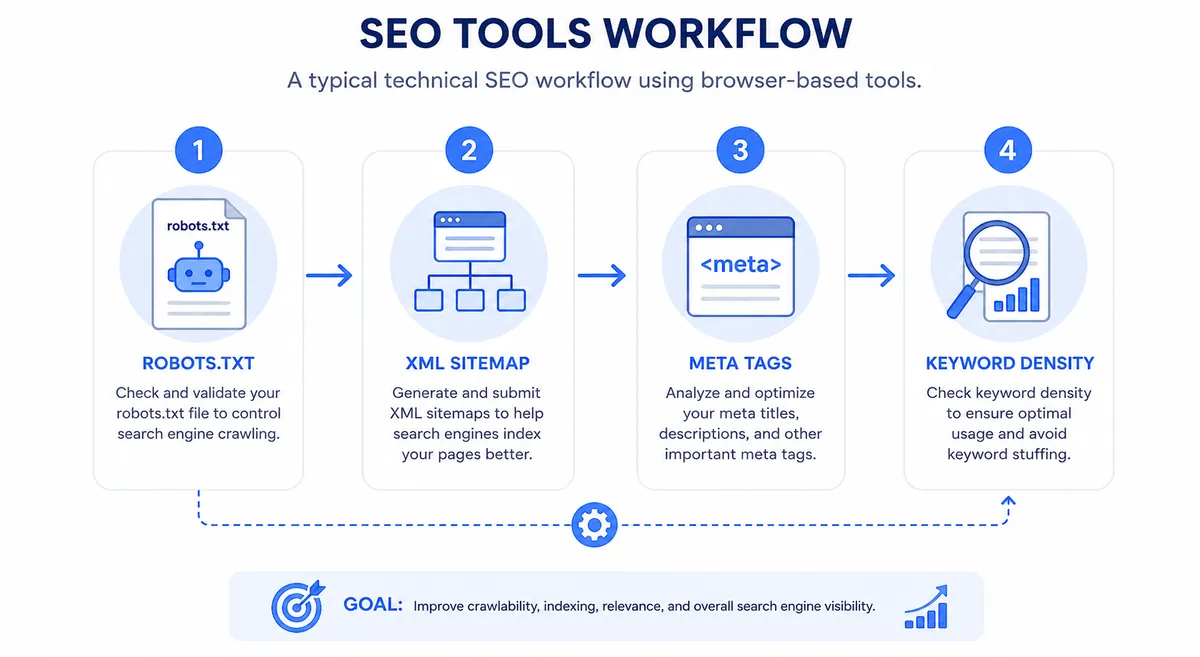
- Robots.txt Generator — creates a properly formatted robots.txt file so crawlers know what to index and what to skip.
- Meta Tag Generator — builds title tags and meta descriptions within recommended character limits.
- Sitemap Generator — produces an XML sitemap, which helps search engines discover your pages faster.
- Keyword Density Checker — flags whether you're over- or under-using a target keyword in a piece of content.
These tools follow the same technical standards you'd find referenced on Google Search Central, so the output isn't just fast — it's aligned with what search engines actually expect.
Text Tools
Small, unglamorous, and used constantly.
- Word Counter and Character Counter — essential for meeting word limits on essays, ad copy, or meta descriptions.
- Case Converter — switches between uppercase, lowercase, and title case instantly.
Calculator Tools
This is arguably the most-searched category on the entire site, and it covers both everyday math and financial planning.
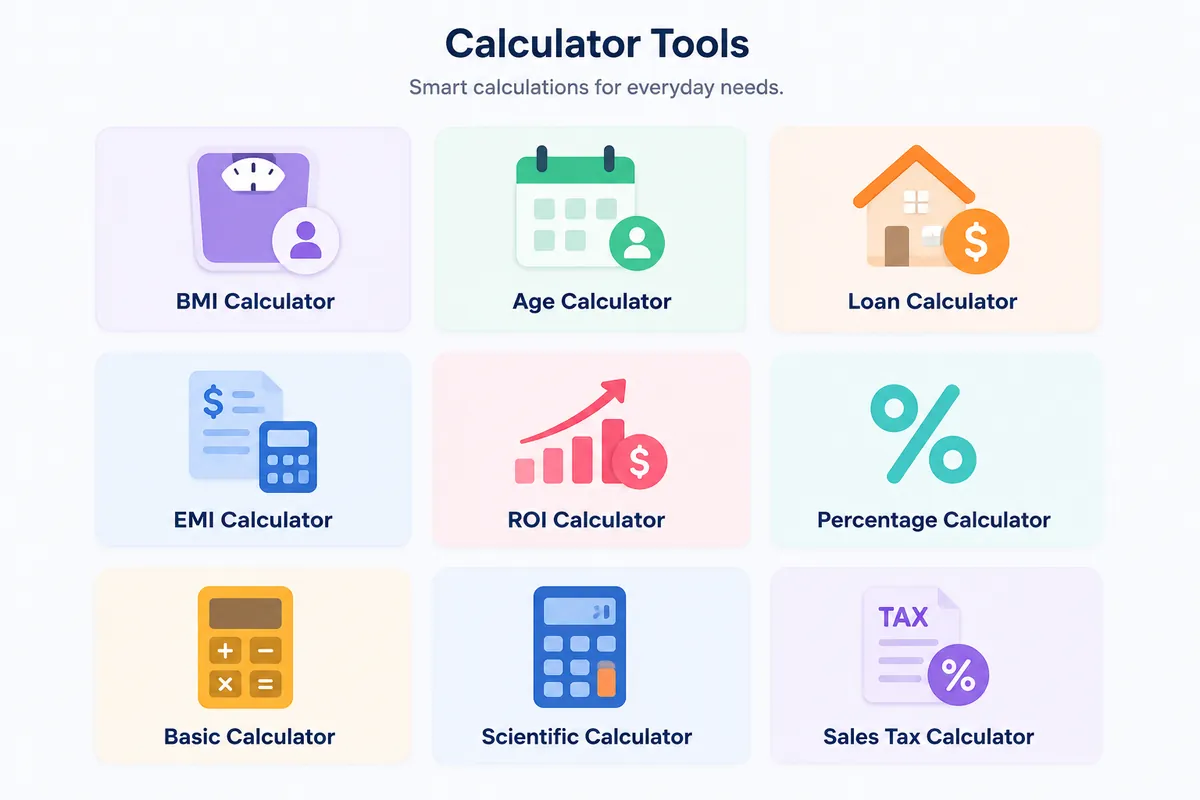
- BMI Calculator — quick health metric based on height and weight.
- Age Calculator — calculates exact age in years, months, and days.
- Loan Calculator and EMI Calculator — break down monthly payments and total interest for loans.
- Discount Calculator and Sales Tax Calculator — quick pricing math for everyday shopping and business use.
- Date Difference Calculator and Time Duration Calculator — figure out durations between two dates or times.
Developer Tools
Developers rarely need a heavyweight IDE for small formatting tasks, and this category fills that gap.
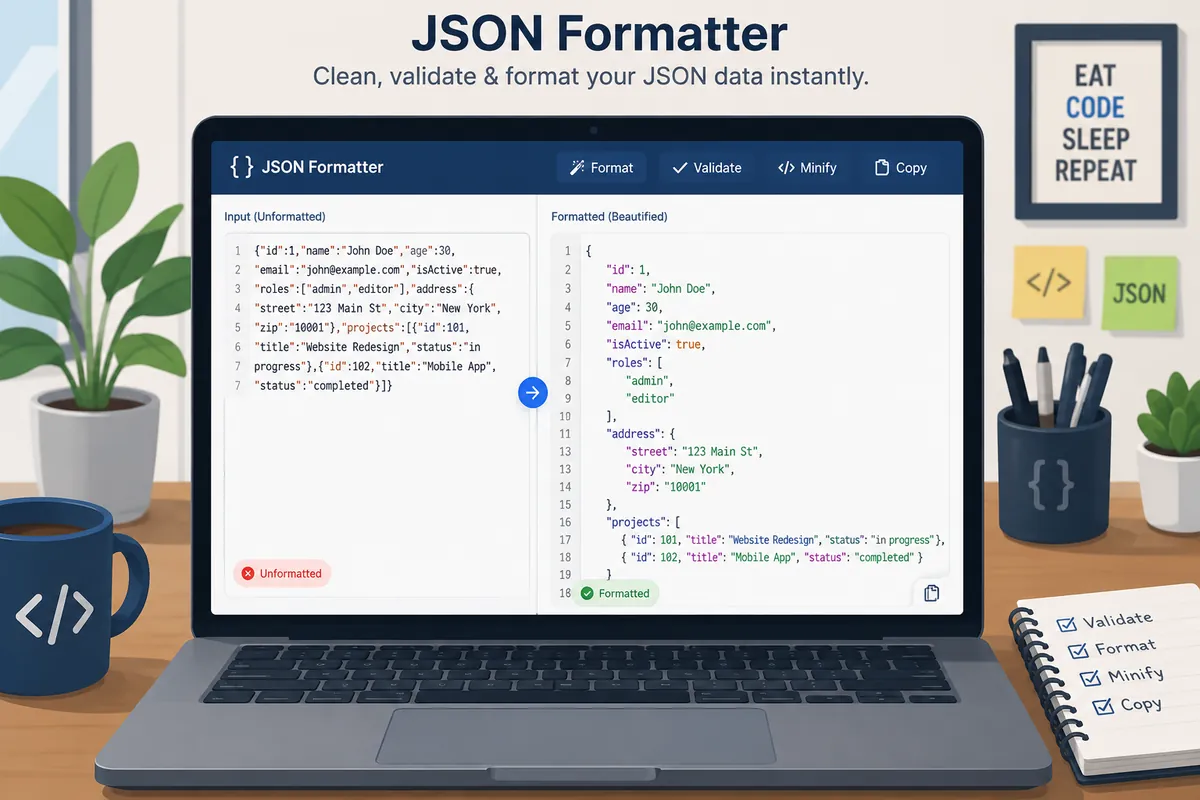
- Base64 Encoder / Decoder — convert data to and from Base64 encoding.
- CSS Minifier, HTML Minifier, and JavaScript Minifier — compress code for faster page loads, directly supporting Core Web Vitals goals discussed on web.dev.
- Random Number Generator and Username Generator — quick generators for development and testing needs.
- HEX to RGB Converter — grabs color values for design and CSS work.
AI Tools
This is the newest and fastest-growing category on Toolshub.pro, built around the surge in AI-assisted content creation.

- AI Prompt Generator — helps structure better prompts for tools like ChatGPT, Gemini, or Claude.
- AI Prompt Enhancer — takes a rough prompt and improves its clarity and specificity.
- AI Content Ideas Generator — suggests topic angles for blogs, videos, or social posts.
- AI Meta Description Generator — writes SEO-friendly meta descriptions within character limits.
How Toolshub.pro Works
Using the platform doesn't require a manual, but here's the general flow:
- Land on the homepage or search directly for a tool using a search engine.
- Pick a category — Calculators, Converters, Image Tools, SEO Tools, Text Tools, Developer Tools, or AI Tools.
- Open the specific tool page. Each one is self-contained, with the tool interface near the top.
- Enter your input — text, numbers, or an uploaded image, depending on the tool.
- Get an instant result. Most calculations and conversions happen in real time, without a page reload.
- Follow related tool links if your task needs a follow-up step, like resizing an image after compressing it.
There's no login step anywhere in that flow, which is exactly the point.
Benefits of Browser-Based Tools
It's worth pausing on why browser-based tools have become so popular instead of downloadable software.
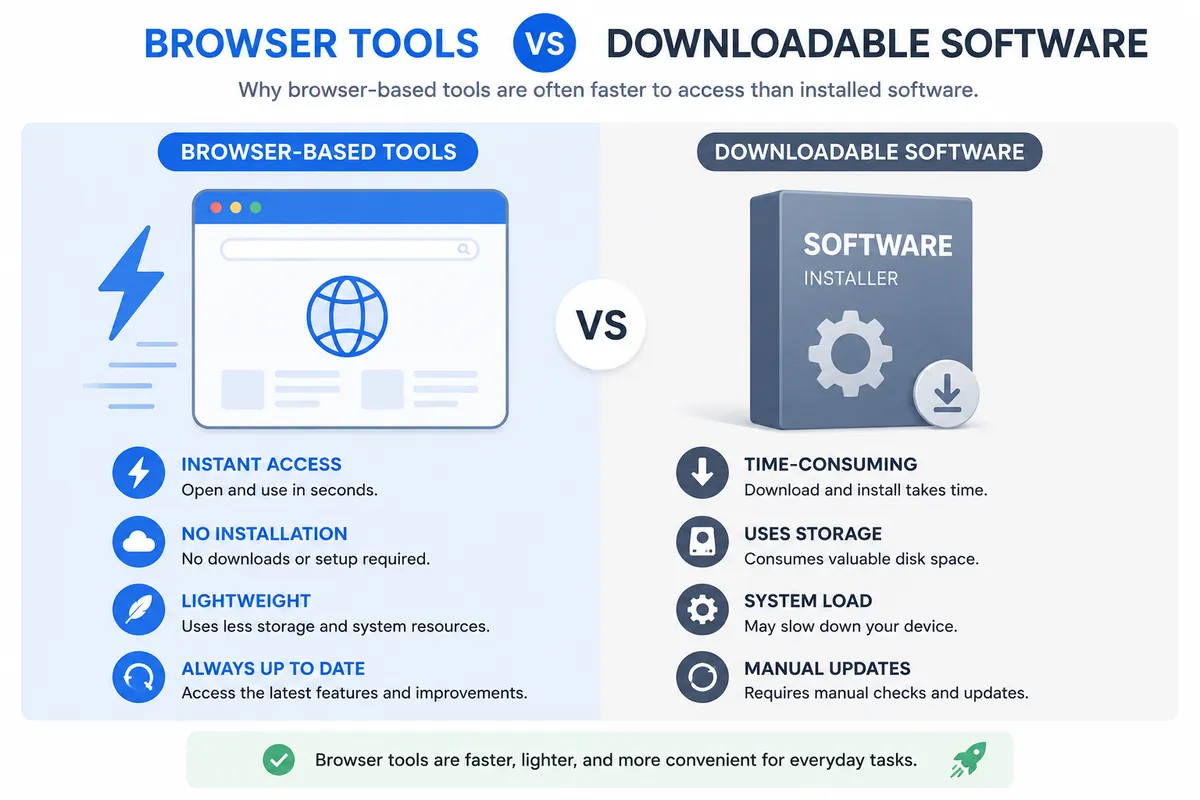
| Factor | Browser-Based Tools | Downloadable Software |
|---|---|---|
| Installation | None | Required |
| Device compatibility | Any device with a browser | Often OS-specific |
| Updates | Automatic | Manual, often prompts restarts |
| Cost | Usually free | Often paid or subscription |
| Setup time | Seconds | Minutes to hours |
Who Should Use Toolshub.pro?
Different groups get different value out of the platform, so let's go through them individually.
- Students — age calculators, percentage calculators, and word counters for essays cover a huge share of daily student needs.
- Businesses — the EMI and loan calculators support financing decisions for small business owners.
- Designers — the color converter and image resizer cover quick pre-production work.
- Developers — JSON formatting, Base64 encoding, and minifiers are things developers do dozens of times a week.
- SEO Professionals — robots.txt generation and sitemap creation cover core technical SEO tasks.
- Freelancers and Bloggers — calculators, converters, and image tools in one place cut down on tab-switching during a busy week.
Toolshub.pro vs Other Online Tool Websites
Most competitors fall into one of two categories: single-purpose tool sites (just image compression, for example) or older tool directories cluttered with ads and outdated interfaces.
| Comparison Point | Toolshub.pro | Single-Purpose Sites | Older Tool Directories |
|---|---|---|---|
| Tool variety | 40+ tools, multiple categories | Usually 1–3 tools | Wide variety, inconsistent quality |
| Signup required | No | Sometimes | Rarely, but heavy ads |
| Speed | Fast, browser-based processing | Varies | Often slow, ad-heavy |
| Guides included | Yes, on every tool page | Rarely | Rarely |
The real differentiator isn't any single tool — plenty of sites have a decent image compressor. It's the combination of breadth, speed, and a consistent, low-friction interface across every single tool.
Advantages and Limitations
| Pros | Cons |
|---|---|
| Free, no signup | Not a replacement for specialized pro software |
| Fast and lightweight | Large file processing has practical limits |
| Wide tool variety | Requires an initial internet connection |
| Mobile-friendly | Some tools better suited to occasional use |
Real Use Cases
The freelance designer on a deadline. A client sends over five images for a landing page, all far too large for fast page load. Instead of opening Photoshop, the designer runs them through the Bulk Image Compressor and Image Resizer, cutting load time significantly in under ten minutes.
The small business owner comparing loan offers. Before committing to equipment financing, the owner runs the numbers through the Loan Calculator and EMI Calculator to compare monthly payments across two different interest rates.
The blogger optimizing an old post. A blogger revisits a two-year-old article, runs it through the Keyword Density Checker, and updates the robots.txt file after restructuring the site.
🛠️ Try Toolshub.pro Now
Explore 40+ free tools — calculators, converters, image tools, SEO utilities, and AI helpers. No signup, no cost.
Browse All Tools →Step-by-Step Guide: Using Toolshub.pro
Here's a simple walkthrough using the Image Compressor as an example, since it's one of the most commonly used tools.
- Go to toolshub.pro and open the Image Tools category.
- Click on Image Compressor.
- Upload the image you want to shrink.
- Adjust the compression level if the tool offers a quality slider.
- Preview the before-and-after file size.
- Download the compressed image directly to your device.
Tips to Get Maximum Value
- Bookmark the category pages, not just individual tools, since you'll likely need more than one tool from the same category over time.
- Read the short guide under each tool — it often explains edge cases and best practices.
- Use related tool links instead of searching again; most tool pages link directly to logical next steps.
- Combine tools for workflows — compress an image, then convert its format, then resize it, all without leaving the site.
Frequently Asked Questions
What is Toolshub.pro?
Toolshub.pro is a free, browser-based platform offering more than 40 tools across categories like calculators, converters, image editing, SEO, text processing, and AI-assisted content generation, all without requiring signup.
Is Toolshub.pro really free to use?
Yes. All tools on Toolshub.pro are free to use directly in your browser, with no subscription or one-time payment required for standard usage.
Do I need to create an account to use the tools?
No. Toolshub.pro is designed for quick, direct access — you can use any tool immediately without registering or logging in.
Is my data safe when I use Toolshub.pro?
Many tools on the platform process data directly in your browser rather than sending it to a server, which limits exposure. Still, avoid entering highly sensitive personal data into any online tool as a general best practice.
Can I use Toolshub.pro on my phone?
Yes. The platform is built with a mobile-friendly, responsive design, so tools work the same way on smartphones and tablets as they do on desktop.
Does Toolshub.pro help with SEO tasks?
Yes. The SEO Tools category includes a Robots.txt Generator, Sitemap Generator, and Keyword Density Checker, covering common technical SEO tasks for website owners.
Are there AI-powered tools on the platform?
Yes. The AI Tools category includes an AI Prompt Generator, AI Prompt Enhancer, AI Content Ideas Generator, and AI Meta Description Generator.
Can I compress multiple images at once?
Yes, the Bulk Image Compressor is built specifically for processing multiple images in a single pass, saving time compared to compressing files one at a time.
Final Verdict
Toolshub.pro isn't trying to be the flashiest tool site on the internet — it's trying to be the fastest one to actually get you an answer. A student doesn't need fifteen features from a calculator; they need the right number, fast. A freelancer doesn't need a subscription to compress five images; they need it done before the client notices the delay.
If you're a student, blogger, freelancer, developer, or small business owner who regularly hits small digital roadblocks, Toolshub.pro is worth bookmarking. Start with whichever tool solves today's problem — chances are, the next one is already waiting in the same tab.